Blog
Rebuilding q0tzly.dev with Hugo and Cloudflare
How I built the site with Hugo, Pages CMS, Cloudflare Workers, and R2, including what it actually costs to run.
I rebuilt my personal site, q0tzly.dev, which I had previously created using chota.css but had left untouched for a while.
The catalyst for this was extracting the architecture of grus.systems—a site I built using Hugo—into a reusable grus-theme that could be applied to other projects.
Since I had gone to the trouble of organizing it into a versatile theme, I wanted to use it for my own site as well. With that in mind, I decided to rebuild q0tzly.dev from scratch.
Rethinking the Content
First, I reconsidered what I actually wanted to feature on my site.
The new site includes the following four sections:
- Blog
- Gallery
- Projects
- About
In the Blog section, I write about my thoughts and the things I’ve created.
The Gallery houses a collection of photos—both those I’ve posted to Instagram and those I never did. I wanted to create a permanent space that feels like a “small photo exhibition,” distinct from a standard social media timeline.
Projects is a place for projects I have worked on and what I am doing now, while About is for information about myself.
I believe the new structure makes it much clearer what I do compared to the previous version of the site.
Hugo and grus-theme
I built the site using Hugo.
I like Hugo because it allows me to write articles in Markdown and functions as a simple static site generator (SSG).
For the design foundation, I used grus-theme, which I had developed while building grus.systems.
I didn’t simply copy the design of grus.systems; instead, I extracted common elements—such as the header, color scheme, spacing, and layout—into a Hugo theme that could be reused across different sites.
The theme is currently divided into three parts:
grus-basegrus-bloggrus-gallery
grus-base contains the site’s core elements, allowing me to combine Blog or Gallery features as needed. I designed it so that components can be reused when building other websites in the future.
It supports switching between Japanese and English, as well as light and dark modes.
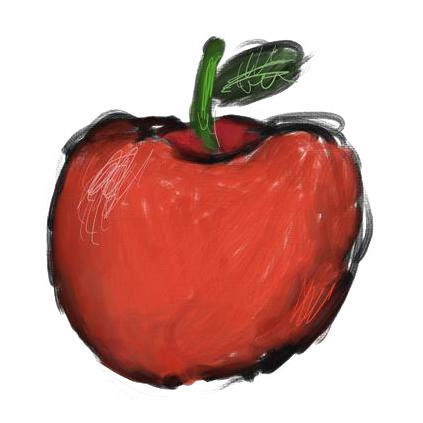
I also continue to use the apple icon—which has become something of a trademark—that I used on the previous version of q0tzly.dev.
Writing with Pages CMS
I use Pages CMS to edit articles.
Since Hugo is a Markdown-based static site generator (SSG), it pairs very well with Pages CMS.
Of course, I could open an editor and edit Markdown files directly, but opening the repository and tinkering with code just for routine article updates is a bit of a hassle.
By implementing Pages CMS, I can create and edit articles using an interface similar to a standard CMS.
It allows me to modify not just blog posts, but also gallery titles, descriptions, and photo sequences from the same screen.
Now, I can focus on writing and selecting photos without having to touch the site’s code for routine updates.
I really like that I’ve been able to incorporate the usability of a CMS while retaining the simplicity of Hugo.
Hosting with Cloudflare Workers
The static files generated by Hugo are served using Cloudflare Workers Static Assets.
I previously used Cloudflare Pages, but I’ve switched to Workers for this project.
Personally, I’m a big fan of Cloudflare.
It lets me manage everything needed to run a website—DNS, domains, Workers, R2, and more—in one place.
For static sites, there’s no need to manage a server myself, and as long as traffic volume isn’t massive, I can publish the site without worrying much about operating costs.
What It Actually Costs to Run
As of September 2026, the only recurring cost for q0tzly.dev is the domain.
At its current traffic and data usage, Cloudflare Workers and the other services remain within their free allowances, so I do not need to pay for a separate hosting server.
That does not mean every website can always run for the price of a domain. Higher traffic, more stored images, contact forms, email, or other features may introduce additional costs.
Even so, a carefully chosen architecture can keep the monthly fixed costs of a small website very low.
Photos in R2, Display via Cloudflare Images
Regarding images, I manage site-structural images and actual photographs separately.
Assets that are part of the site’s design—like logos and favicons—are stored in the repository and managed via Git.
On the other hand, the photos for the gallery have large file sizes, and the number of images will grow over time.
So, I store the photos in Cloudflare R2 and load them via URLs. However, if the JPEGs exported after image processing were served directly on the website, the file sizes would be too large.
To address this, I use Cloudflare Images to convert and serve the images in sizes optimized for specific screens and use cases.
The setup involves keeping the original photos in R2 while serving only the necessary sizes on the web.
Currently, images for the blog are stored in the Git repository, but I might migrate them to R2 as well if the number of images increases.
Summary
For this rebuild of q0tzly.dev, I adopted the following configuration:
Hugo + GitHub + Pages CMS + Cloudflare Workers + R2
I generate the static site using Hugo and manage it via GitHub. Articles and gallery content are edited using Pages CMS, and the generated site is served via Cloudflare Workers. Large-sized photos are stored in R2.
This setup differs significantly from server-based CMS platforms like WordPress, but for a personal site or a website that isn’t updated extremely frequently, this kind of simple configuration is just right.
There is no need to manage the server itself, and routine updates don’t require touching the code. Yet, if the need arises, I have the freedom to extend the Hugo setup.
At the moment, q0tzly.dev runs with no recurring infrastructure cost beyond the domain.
Not every site will have the same requirements, but this approach makes it possible to create a fast, easy-to-update small website while keeping ongoing costs low.
Having fully tested this approach on my own site, grus-theme has evolved from a mere personal theme into a solid foundation that I can use for future websites and projects.